How to Create a Professional Logo in Just 2 Minutes ⚡
Learn how to make a logo fast using AI - no design skills required! This step-by-step guide will show you exactly how to create a professional logo in minutes, not days.
Why This Quick Logo Creation Method Actually Works 🎯
Traditional logo design takes days or weeks. Here's why our AI-powered method delivers professional results in just 2 minutes.
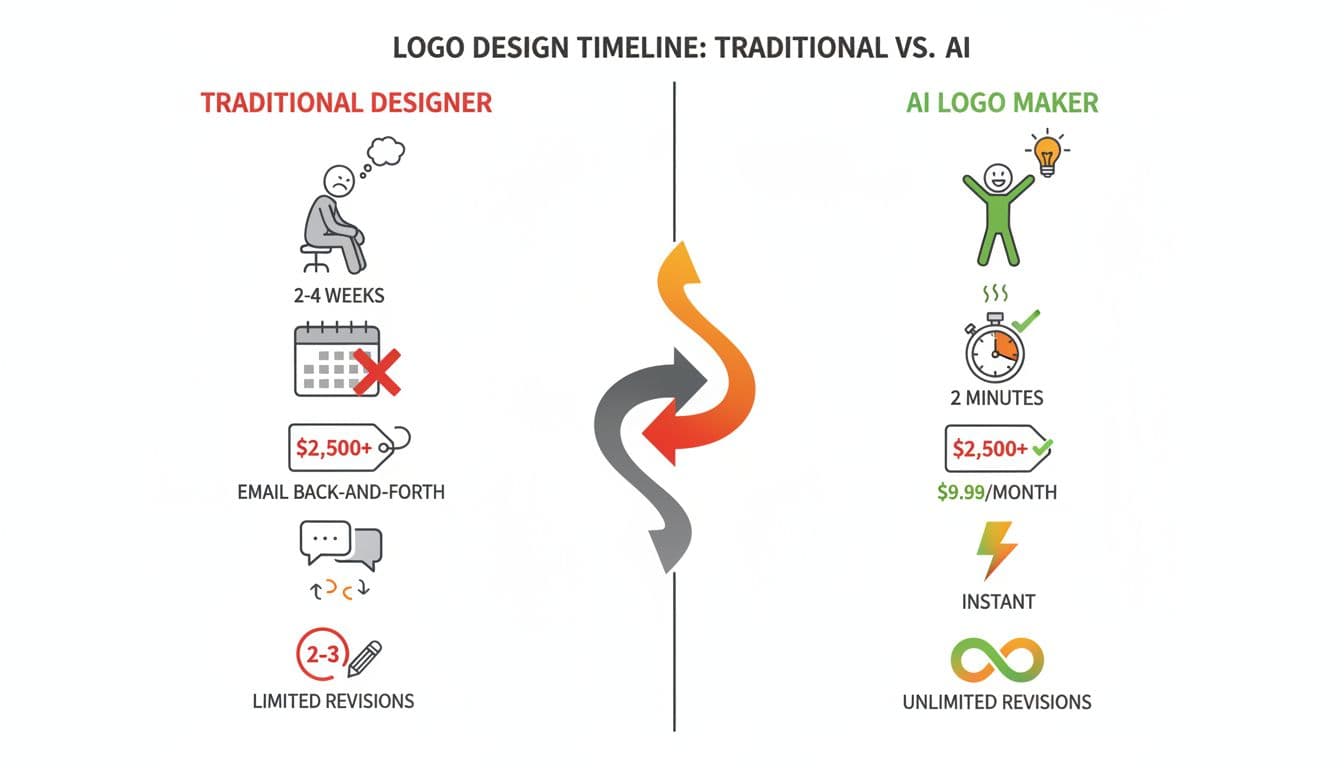
AI Trained on Millions of Logos
Our AI has analyzed millions of successful logos and understands what makes great design. It applies professional design principles instantly - no years of design school needed!
Instant Design Decisions
What takes human designers hours (color combinations, font pairing, layout balance) - the AI calculates in milliseconds. That's how we make logo creation so fast!
Smart Iteration System
Unlike templates, our AI remembers your logo and improves it based on your feedback. Say "make it more modern" and it intelligently adjusts - no starting from scratch!
Your 2-Minute Logo Creation Blueprint 📋
Follow these 4 simple steps to create your professional logo in just 2 minutes. Each step takes only 30 seconds!
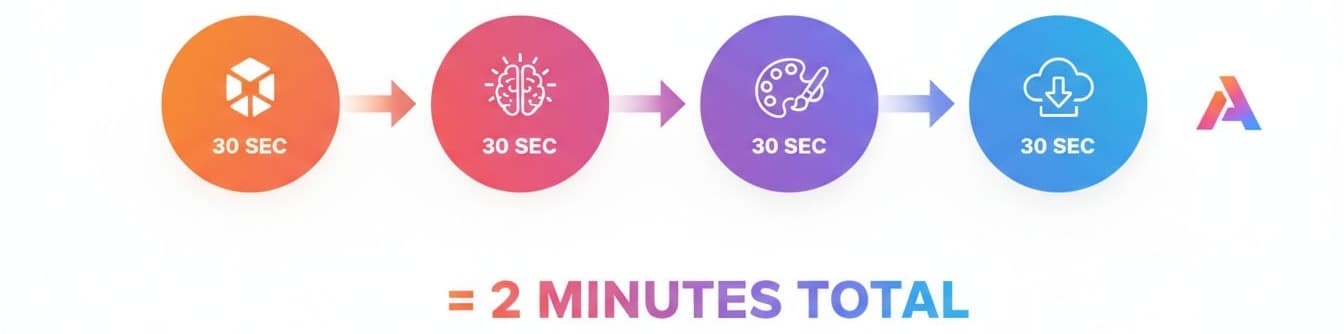
Describe Your Brand
Tell our AI about your business in a simple 6-step form. No design jargon needed - just answer in plain English!
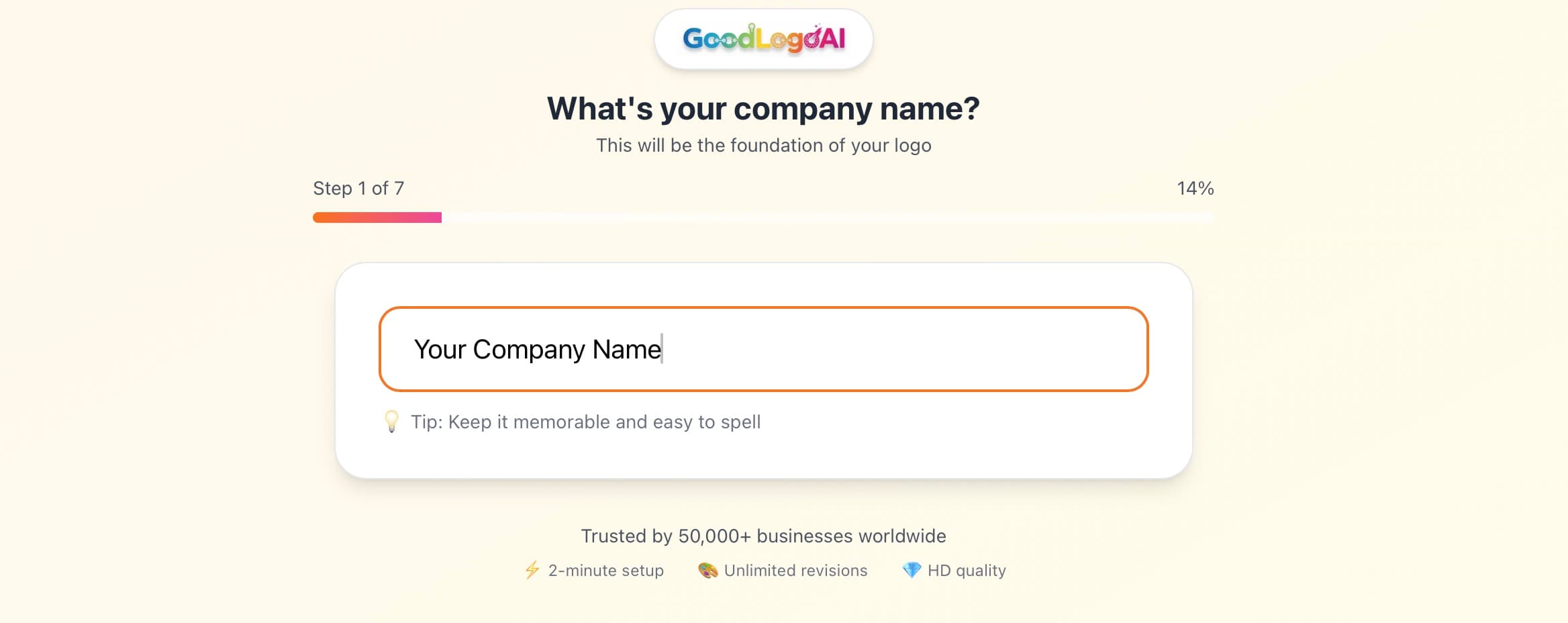
Pro Tip:
The more specific you are, the better your logo will be! For example, instead of 'tech company', try 'AI-powered fitness app for millennials'
AI Creates Your Logo
Our AI powered logo maker analyzes your inputs and generates a unique, professional logo designed specifically for your brand.
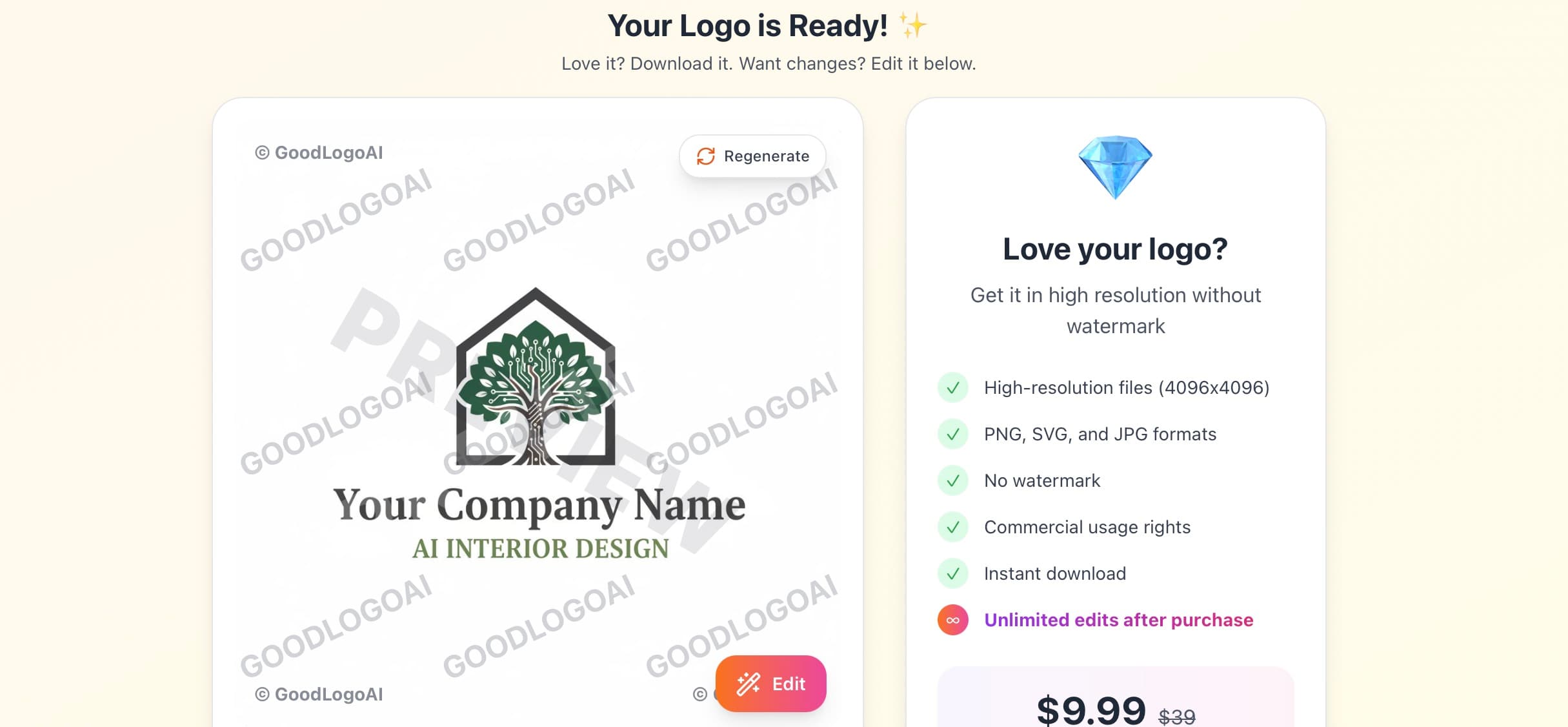
Pro Tip:
While the AI works, you can already see real-time progress. Most logos are ready in 30-60 seconds!
Customize & Perfect
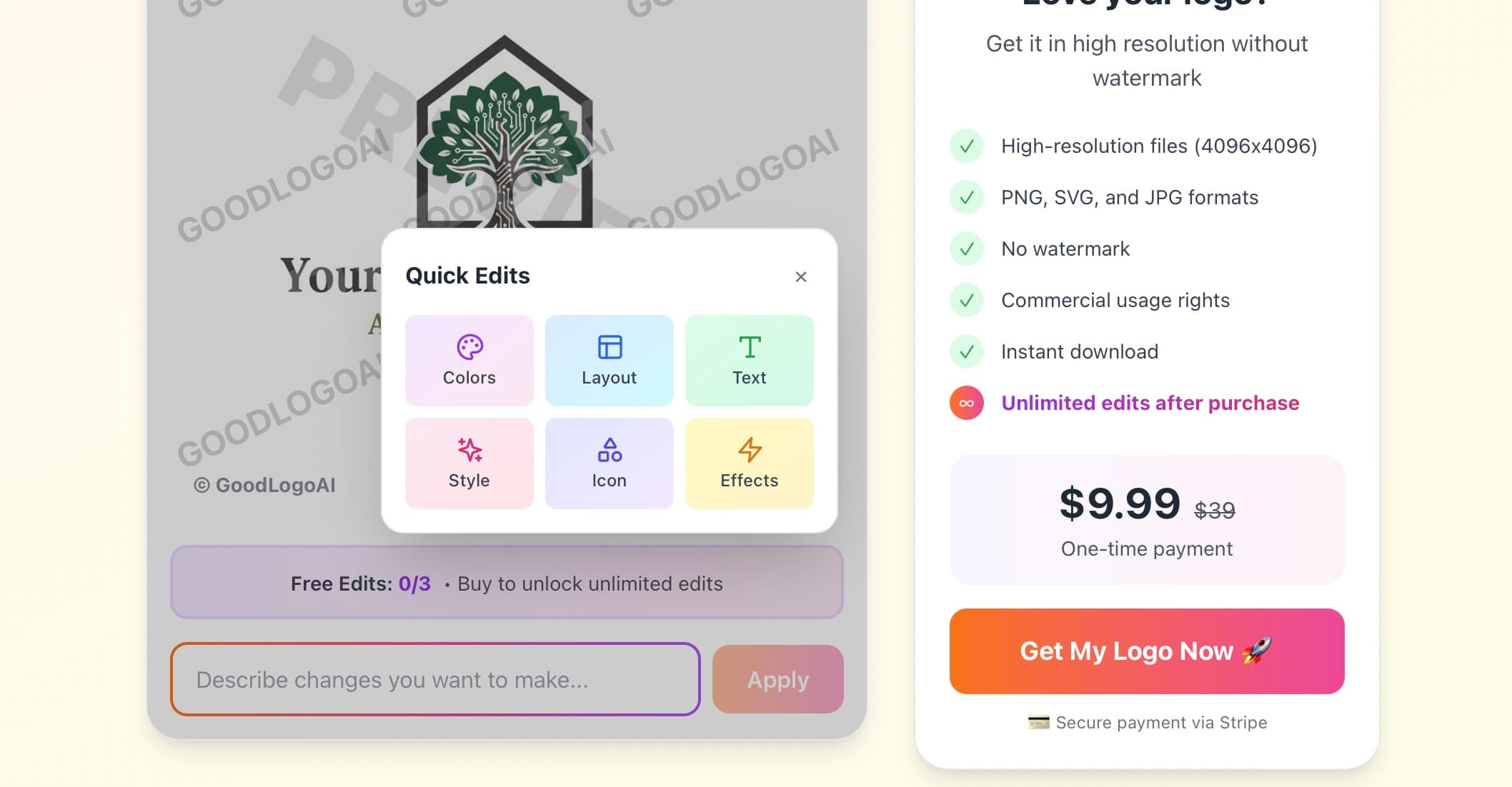
Not 100% happy? Tell the AI what to change in simple words. It understands phrases like 'make it more playful' or 'use ocean colors'.
Pro Tip:
Use our quick edit options like 'Make it more modern' or 'Add a golden effect' for instant transformations!
Download & Launch
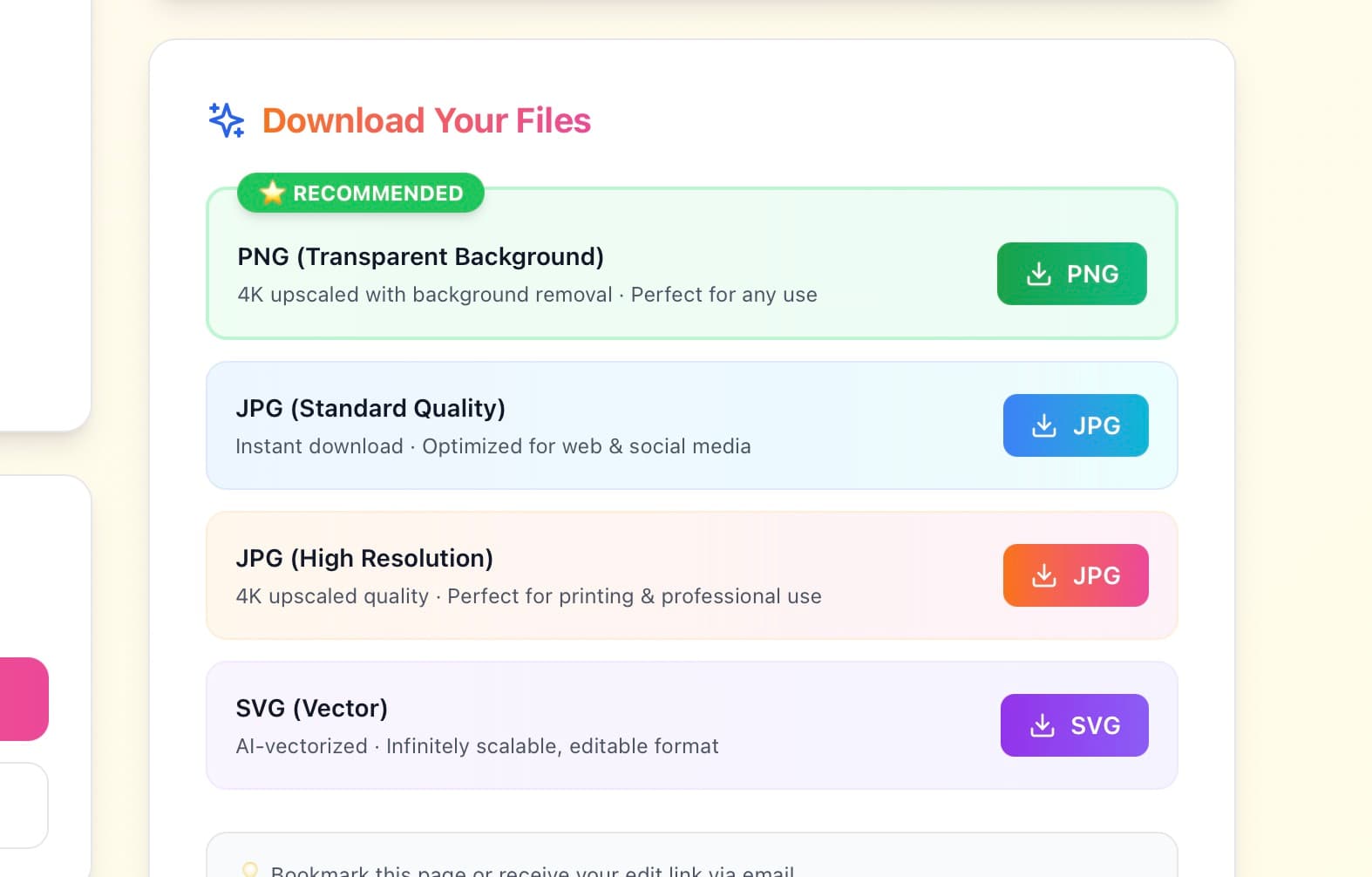
Love it? Pay $9.99 one-time and instantly download your logo in all formats. Start using it everywhere immediately!
Pro Tip:
After purchase, you get unlimited AI edits forever. Come back anytime to refine your logo!
✨ Try 3 times free • Only $9.99 to download • No design skills needed
6 Quick Tips to Make a Logo Fast & Make It Great 🚀
Want your logo to be perfect on the first try? Follow these expert tips for quick logo creation!

Be Specific About Your Industry
Instead of 'business', say 'luxury real estate' or 'organic coffee shop'. The AI creates better logos with more context.
Know Your Target Audience
Creating a logo for Gen-Z gamers? Tell the AI! Targeting corporate executives? Mention that too. Context is everything.
Start With Colors You Love
Have brand colors already? Great! Don't have any? Choose colors that match your industry - blue for trust, green for eco-friendly, red for energy.
Use the Quick Edit Options
Try our preset options like 'Make it minimalist', 'Add metallic effect', or 'Use bold fonts' for instant professional results.
Don't Be Afraid to Regenerate
You get 3 free tries! If the first logo isn't perfect, give the AI more specific feedback and try again.
Think About Where You'll Use It
Need it on business cards? Social media? Billboards? Mention this to the AI - it'll optimize your logo accordingly.
4 Common Mistakes When Learning How to Make a Logo Fast ⚠️
Avoid these pitfalls and get your perfect logo on the first try!
Mistake #1: Being Too Vague
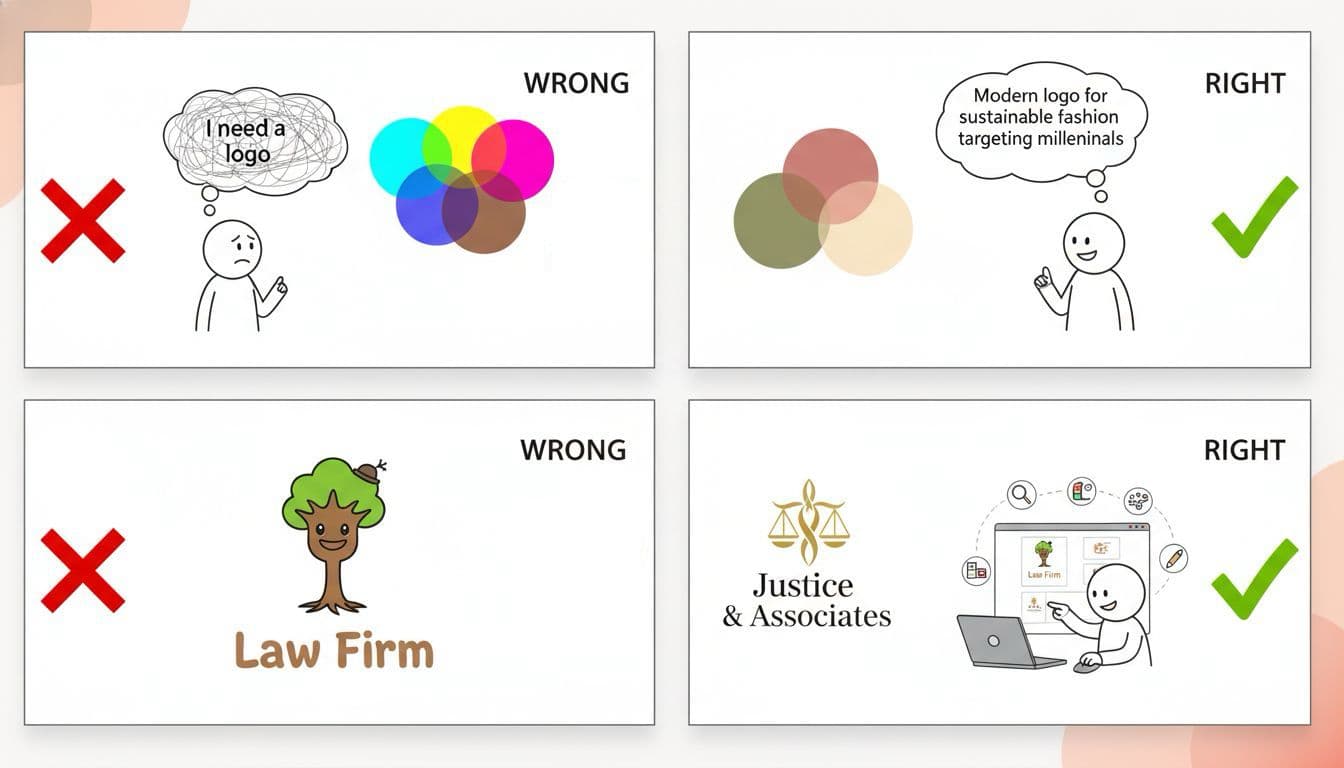
❌ 'I need a logo for my business'
This leads to generic, unprofessional results
✅ 'I need a modern logo for my sustainable fashion e-commerce store targeting eco-conscious millennials'
This creates unique, professional logos
Mistake #2: Choosing Too Many Colors
❌ Selecting 5+ colors
This leads to generic, unprofessional results
✅ Stick to 2-3 main colors for a clean, professional look
This creates unique, professional logos
Mistake #3: Ignoring Your Industry
❌ Using playful cartoon style for a law firm
This leads to generic, unprofessional results
✅ Match your logo style to your industry expectations (professional for law, playful for kids' products)
This creates unique, professional logos
Mistake #4: Not Using AI Edits
❌ Settling for the first design
This leads to generic, unprofessional results
✅ Use your 3 free edits to perfect the logo - tell the AI exactly what you want changed
This creates unique, professional logos
Real People, Real Results: Quick Logo Creation Success Stories 💪
See how real entrepreneurs used our method to create logos fast and launch their businesses!
Sarah's Tech Startup
Before GoodLogoAI:
Spent 2 weeks emailing a designer, paid $2,500, still wasn't happy
After Using Our Guide:
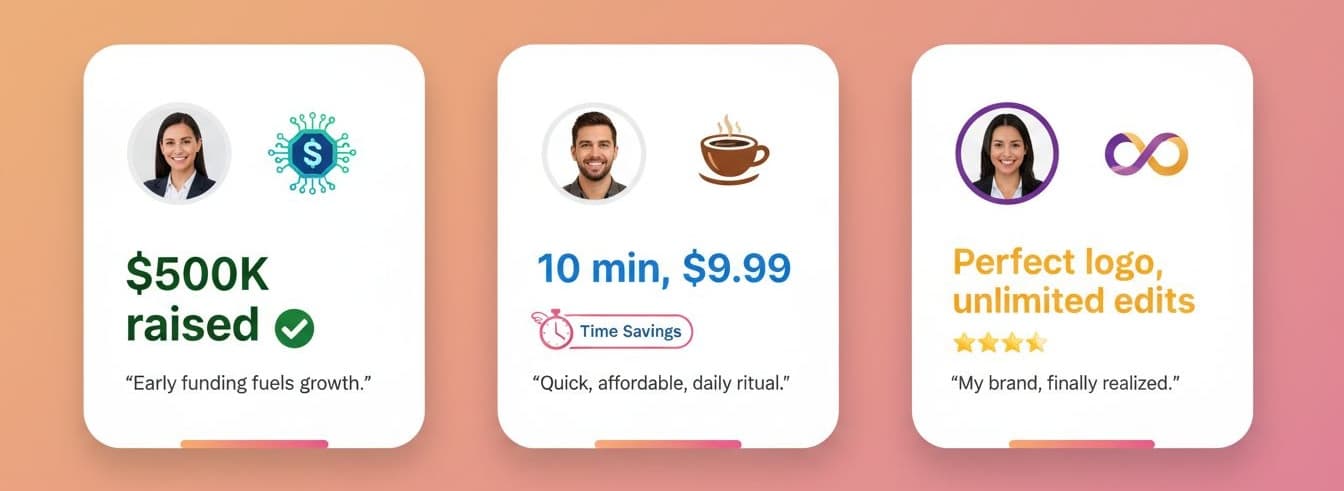
Used GoodLogoAI, got her perfect logo in 8 minutes for $9.99, made investor pitch same day
✅ Result: Saved $2,490 and 2 weeks
Mike's Coffee Shop
Before GoodLogoAI:
Tried free logo makers, got generic clipart that looked amateur
After Using Our Guide:
Used our AI, got unique, professional logo that customers compliment daily
✅ Result: Professional quality at 1% of designer cost
Jessica's Consulting Business
Before GoodLogoAI:
Freelance designer took 10 days, limited to 2 revisions, final logo was 'meh'
After Using Our Guide:
Created logo in 6 minutes, used unlimited edits to perfect it over the week
✅ Result: Perfect logo, complete creative control
Logos Created in 2 Minutes (Yes, Really!) 😊
Each of these professional logos was created using our 2-minute method. No designers, no weeks of waiting!


⏱️ Average creation time for these logos: 127 seconds
Quick Logo Creation FAQ 🤔
Common questions about making a logo fast with AI
Can I really create a professional logo in just 2 minutes?
Yes! Our AI is so fast that most users create their first logo in under 2 minutes. The form takes 30 seconds to fill out, the AI generates in 30 seconds, you customize for 30 seconds, and you're done. Some users take longer to perfect their logo, but the basic process is genuinely 2 minutes.
How is this faster than using templates or other logo makers?
Templates require you to manually adjust colors, fonts, layouts, and icons - which takes time. Our AI does all of this automatically based on your description. You just describe what you want in plain English, and the AI handles all the design decisions instantly.
Do I need any design skills to follow this guide?
Absolutely not! The whole point of our AI is that it has the design skills built-in. You just need to know your business and be able to describe it in simple words. If you can fill out a form, you can create a professional logo.
What if I don't like the logo it creates in 2 minutes?
You get 3 free edits before purchasing! Just tell the AI what to change - 'make it more modern', 'use blue instead of red', 'make the text bigger' - and it adjusts. Most people find their perfect logo within those 3 free tries.
Is a logo created this fast actually good quality?
Yes! Speed doesn't mean low quality. The AI has been trained on millions of professional logos and applies the same design principles that professional designers use. It's just faster because it doesn't need coffee breaks or sleep! 😉
How much does it cost to create a logo this fast?
You can try it 3 times completely free! If you love your logo and want to download it, it's just $9.99 one-time payment. That includes high-res files in all formats, full commercial rights, and unlimited future edits.
Can I edit my logo after downloading it?
Yes! After purchasing, you get unlimited AI edits forever. Come back in a week, a month, or a year - you can always refine your logo with the AI at no extra cost.
What file formats do I get for quick download?
You instantly get PNG (transparent background), SVG (vector format for infinite scaling), and JPG files, all at 4096x4096 pixels. Perfect for websites, business cards, billboards, or anywhere else you need your logo.
Ready to Create Your Logo in 2 Minutes? 🚀
You've learned how to make a logo fast with AI. Now it's time to put it into action! Join 50,000+ entrepreneurs who created their perfect logos in minutes.
⚡ Try 3 times free • No credit card needed • Only $9.99 to download
2-Minute Process
From start to download in 120 seconds flat
$9.99 One-Time
No subscriptions, no hidden fees, own it forever
Unlimited Edits
Perfect your logo forever with AI assistance